AI Video Transcription for Online Video Content
Generate accurate transcripts and subtitle files from user-provided video links. Export clean text, SRT, and WebVTT in 100+ languages.
 Free TikTok transcript generatorInstagram Reels transcript generatorYouTube video and Shorts transcript generatorFacebook transcript generatorX (Twitter) video transcript generator
Create Transcripts from Authorized Online Video Content
Use the browser extension to start a transcription workflow from supported public TikTok pages you are authorized to process.
 Add to Chrome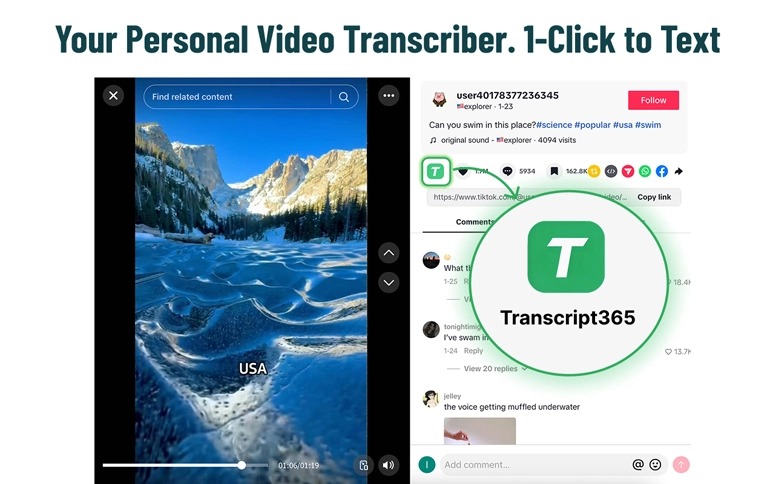
AI Video Transcription Tool
What Is Transcript365?
Transcript365 helps convert user-provided online video links into readable transcripts and subtitle files.
Transcript365 is an AI video transcription tool for online video content. Paste a video URL that you own, is publicly accessible, or that you are authorized to process, then generate clean transcript text and subtitle files.
Transcript365 is built for practical transcription workflows: creators, educators, marketers, and researchers can create readable transcripts, subtitle files, and searchable archives from video links they own, that are publicly accessible, or that they are authorized to process. It supports 96%+ accuracy under suitable audio conditions, 100+ languages, and fast processing for short videos.
STREAMLINED EXTRACTION
Convert Social Video to Structured Text in 3 Simple Steps
A simple transcription workflow for authorized or publicly accessible video content.
Paste a Video URL
Submit a video link that you own, is publicly accessible, or that you are authorized to process.
Generate the Transcript
Transcript365 processes the user-provided video link and creates readable transcript text.
Export Text or Subtitles
Copy the transcript or create subtitle files such as SRT and WebVTT for editing, captions, or review.
Try the Transcription Workflow Before You Scale
Preview transcript generation for supported content and use credits for authorized processing tasks. No hidden fees or subscription lock-in.
View PricingADAPTABLE OUTPUTS
Create Clean Transcript and Subtitle Files
TXT
Plain transcript text for reading, notes, review, summaries, and internal documentation.
SRT
Timestamped subtitle files for video editors, caption workflows, and accessibility review.
WebVTT
Web-ready subtitle files for online players, learning platforms, and web publishing workflows.
TRANSPARENT ANSWERS
Frequently Asked Questions About AI Video Transcription
TECHNICAL EXCELLENCE
Why Choose Transcript365 for Video Transcription?
A practical workflow for converting authorized online video content into text and subtitle files.
Built for Authorized Video Links
Process video URLs that you own, are publicly accessible, or that you are authorized to use. Transcript365 focuses on transcription output, not redistribution of original media.
Clean Subtitle File Creation
Generate transcript text, SRT, and WebVTT files for editing, accessibility, captions, and review workflows.
Fast Transcription Workflow
Convert user-provided video links into text quickly, with output designed for copying, reviewing, and exporting.
Create Transcripts from Online Video Content
Start a compliant transcription workflow for authorized online video content. Generate clean text, SRT, and WebVTT files from user-provided video links.