YouTube Transcript Translator
Generate and translate YouTube video transcripts into 100+ languages in seconds. No downloads, no copy-paste, no lengthy processing.
How to Translate a YouTube Transcript
Use one workflow for YouTube URL, transcript generation, transcript translation and export. The page is designed for users who want a translated YouTube transcript, not a generic file translator or dubbing tool.
Paste a YouTube Video URL
Copy the URL of the YouTube video, tutorial, lecture, interview, podcast episode or product review you want to understand in another language. Transcript365 starts from the YouTube link, so you do not need to download the video or hunt for captions first.
Generate and Translate the Transcript
Transcript365 generates the YouTube transcript, then lets you choose the target language and translate the transcript directly. The workflow is built for YouTube transcript translation, so you avoid copying text into a separate tool, writing prompts and rebuilding formatting later.
Copy or Export the Translated Result
Review the original and translated transcript, then copy the translated text or export translated TXT, SRT and VTT files. Use the result for multilingual captions, study notes, localization review, content repurposing or team documentation.
Why Use Transcript365 Instead of Manual AI Translation?
General AI tools can translate text, but the manual YouTube workflow usually requires finding the transcript, copying text, writing prompts, waiting, cleaning formatting, rebuilding subtitles and exporting manually. Transcript365 removes those workflow steps.
| Workflow Step | Transcript365⭐ | Manual AI Translation Workflow | Why It Matters |
|---|---|---|---|
| Starting Point | Paste a standard YouTube video, YouTube Shorts or youtu.be URL directly. | Find or generate the transcript first, often using another tool before translation starts. | Transcript365 starts where the user starts: with a YouTube URL. |
| Translation Step | Generate transcript, choose language and translate instantly in the same workspace. | Copy transcript text, open an AI tool, write prompts and wait for translated output. | No prompt writing or copy-paste loop is needed for each YouTube video. |
| Formatting Cleanup | Keep transcript structure easier to review after translation. | Clean formatting manually when line breaks, segments or timestamps are changed. | Less cleanup means creators, researchers and educators can review meaning instead of repairing structure. |
| Subtitle Export | Copy translated text or export TXT, SRT and VTT from Transcript365. | Paste translated text back into another editor, rebuild subtitles and export manually. | The result is closer to a usable translated transcript or caption file. |
| Volume and Cost | Translation can cost as little as $0.01 per credit for repeated YouTube transcript work. | Manual steps become expensive in time when translating many tutorials, lectures, interviews or Shorts. | A single workflow is more practical for creators, educators, marketers, agencies and research teams. |
Practical Uses for a YouTube Transcript Translator
Translate YouTube transcripts when you need to understand, study, localize or reuse spoken content across languages.
🎬Translate Tutorials and How-To Videos
Convert YouTube software tutorials, repair guides, cooking videos, fitness lessons and product walkthroughs into a translated transcript. Readers can follow steps in their own language while checking the original video when needed.
📊Translate Educational Videos and Lectures
Translate university lectures, conference talks, science explainers, language lessons and online course videos for students or international teams. The translated transcript becomes searchable study material instead of a one-time viewing.
🔍Translate Podcasts, Interviews and Reviews
Turn long YouTube podcast clips, expert interviews, customer stories and product reviews into translated text. Researchers can scan the transcript for claims, objections, names and timestamps before deciding which parts to watch closely.
🎯Create Multilingual YouTube Captions
Use translated SRT or VTT output as a starting point for multilingual captions. Editors can review the translation, adjust line length and publish caption tracks for global audiences without rebuilding the whole subtitle file from scratch.
YouTube Transcript Translator: Frequently Asked Questions
Answers about translating YouTube transcripts, subtitles and captions from a video URL while preserving structure and export options.
Translate Transcripts from Other Supported Platforms
Start with the platform transcript workflow, then translate the result for multilingual captions, review and localization.
YouTube Transcript
Generate YouTube transcripts before translating tutorials, lectures, podcasts and interviews.
TikTok Transcript
Translate TikTok transcripts for multilingual short-form content and caption workflows.
Instagram Transcript
Translate Instagram Reel and video transcripts for international audiences.
RedNote Transcript
Translate RedNote reviews, tutorials and explainers after creating source transcripts.
Facebook Transcript
Translate Facebook video transcripts for training, customer research and documentation.
X Transcript
Translate public X video transcripts when commentary needs to be understood across languages.
Translate YouTube Transcript Workflows While You Browse
Use the Transcript365 browser extension to move from a useful YouTube video to transcript generation, translation review and export with fewer manual steps.
 Install Chrome Extension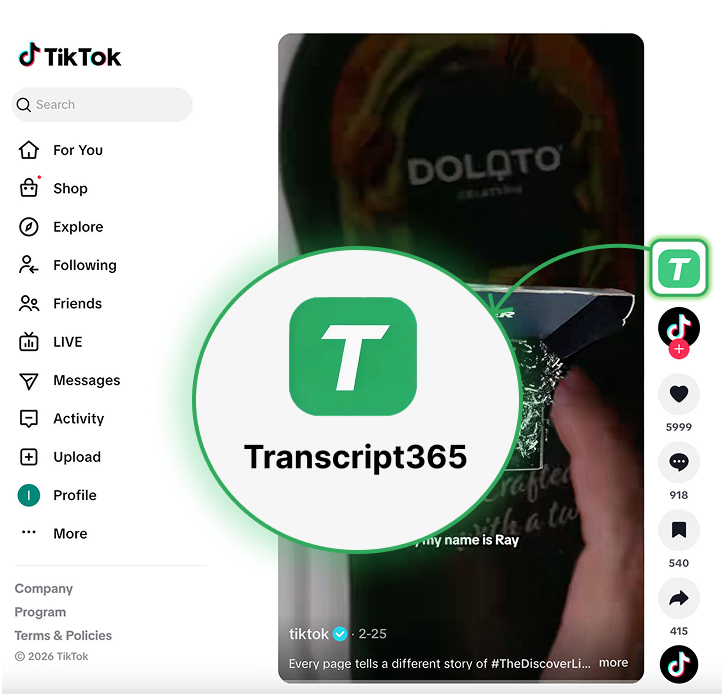
Translate a YouTube Transcript
without Rebuilding Subtitles by Hand
YouTube URL → transcript → translation → TXT, SRT or VTT export