Online Transcript Translator
Paste a video URL, generate the transcript, translate it into 189 languages, and export the result without copy-paste loops.
How to Translate a Video Transcript
Transcript365 is built for a URL-first transcript translation workflow. Start with a platform link or accessible media URL, not a separate document or manually copied text.
Paste a Supported Video URL
Copy a supported platform link or a directly accessible video/audio URL and paste it into Transcript365. You do not need to download the media, search for captions or prepare a transcript file before starting.
Generate and Translate the Transcript
Transcript365 extracts the spoken content into a readable transcript, then lets you choose a target language and translate the transcript directly. This keeps source text, translation and review in one workspace.
Copy or Export the Translation
Review the translated transcript, copy the text, or export TXT, SRT and VTT when you need notes, subtitle drafts, captions, documentation or team handoff files.
Transcript365 vs Manual Transcript Translation
General AI tools can translate copied text, but users often start with a video URL. Transcript365 removes the extra steps between the video link and a usable translated transcript.
| Workflow Step | Transcript365⭐ | Manual AI Workflow | Why It Matters |
|---|---|---|---|
| Starting point | Paste a supported platform URL or directly accessible video/audio URL. | Find a transcript first, copy captions manually, or use another tool to extract text. | Most users searching for transcript translation still begin with a video link. |
| Transcript creation | Generate the transcript and translate it in the same workflow. | Create transcript text separately, then move it into a translator or AI chat. | Fewer handoffs means fewer formatting problems and less missing context. |
| Prompt writing | Choose a target language and translate directly. | Write prompts, split long text, wait for responses and repeat when output breaks. | Translation becomes a tool action instead of a repeated prompt task. |
| Export | Copy translated text or export TXT, SRT and VTT. | Clean the translated output and rebuild files manually. | The result is easier to use for review, captions, notes and publishing. |
| Supported platforms | Built around major social video URLs and directly accessible media links. | Usually treats the transcript as plain text after you already extracted it. | URL-first support fits real video transcript workflows better. |
Transcript Translation Use Cases
Use transcript translation when the spoken content matters and you need it in another language as editable, searchable text.
🎬Translate Social Video Research
Turn TikTok, Instagram, RedNote, X and Facebook videos into translated transcripts for market research, product discovery, audience language analysis and campaign review.
📊Translate YouTube Learning Content
Translate YouTube tutorials, interviews, explainers and lectures into text that students or teammates can read, search and quote without watching the whole video repeatedly.
🔍Prepare Multilingual Notes and Briefs
Use translated transcripts to create summaries, briefs, documentation, lesson notes or content outlines while keeping the original spoken meaning available for review.
🎯Create Subtitle and Caption Drafts
Export translated SRT or VTT files as a starting point for subtitles and captions. Editors can review wording, timing and line length before publishing.
Transcript Translator: Frequently Asked Questions
Answers about translating transcripts from supported platform links, accessible video/audio URLs, languages and export formats.
Translate Transcripts from Supported Video Sources
Start from a supported platform link or directly accessible video/audio URL. Transcript365 turns media links into translated transcripts you can copy or export.
TikTok Transcript Translator
Translate TikTok video transcripts for social research, captions and content review.
Instagram Transcript Translator
Translate Instagram Reels and video speech into readable transcript text.
RedNote Transcript Translator
Translate RedNote and Xiaohongshu video transcripts for product, lifestyle and market research.
YouTube Transcript Translator
Translate YouTube tutorials, Shorts, interviews, lectures and reviews.
X Transcript Translator
Translate X and Twitter video speech for monitoring, reporting and multilingual review.
Facebook Transcript Translator
Translate Facebook video transcripts for teams, archives and social content workflows.
Translate Social Video Transcripts While You Browse
Use the Transcript365 browser extension to move from supported social media video pages into transcript generation, translation and export with fewer manual steps.
 Install Chrome Extension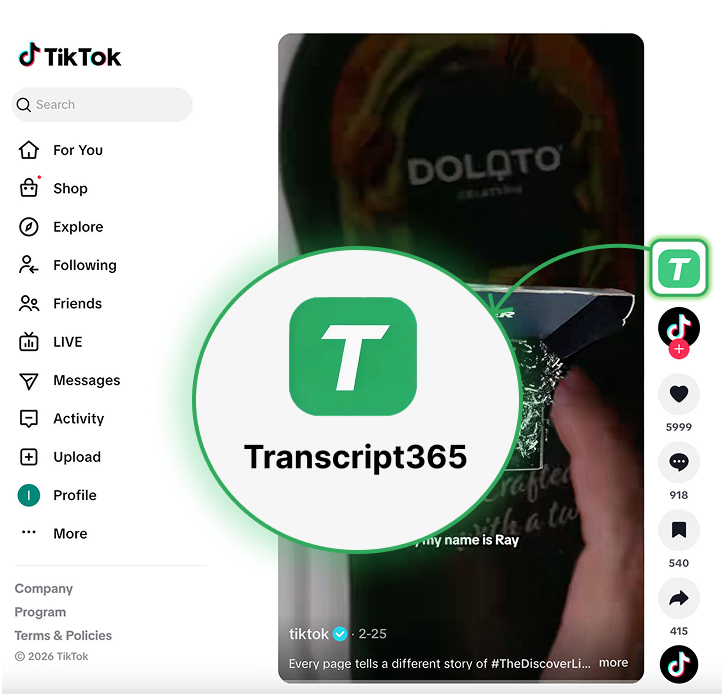
Translate Your Next Video Transcript
TikTok • Instagram • RedNote • YouTube • X • Facebook • Direct video/audio URLs