Free TikTok Transcript Generator
Paste a public TikTok URL and generate a transcript without logging in. Sign in to process TikTok videos for 0 credits through December 31, 2026.
How to Get a TikTok Transcript
Turn the speech in a public TikTok video into a transcript you can review, copy or download without typing the dialogue yourself.
Copy the TikTok Video URL
Open the public TikTok video you want to transcribe and copy its share link. You do not need to download the original video file before starting.
Paste the URL and Generate
Paste the link into the TikTok transcript generator and start the process. Transcript365 detects the spoken audio and creates a readable video transcript.
Copy or Download the Transcript
Review the generated transcript, copy the text directly, or export it as TXT for plain text, SRT for timed subtitles, or VTT for web captions.
TikTok Transcript Generator Comparison
Compare direct TikTok URL support, free access, language coverage and transcript export options across popular transcription tools. Plan details can change, so check each provider before choosing.
| Feature | Transcript365⭐ | Otter.ai | Rev | Descript | ElevenLabs | Proactor AI |
|---|---|---|---|---|---|---|
| Direct TikTok URL Input | Yes | Not advertised; imports audio/video files | Not advertised; file-based transcription | Not advertised; drag in a recording | Yes | Yes |
| Free Access | No login to start; signed-in TikTok jobs use 0 credits through Dec 31, 2026 | 300 transcription min/month; 3 lifetime file imports | 45 AI min/month in English | 1 transcription hour/month | $0 plan with 10k monthly credits | Free TikTok tool; signup offers more credits |
| Primary Product Focus | Social video URL transcription | Meetings and conversation knowledge | Professional, legal and file transcription | Video and podcast editing | Audio AI and speech to text | AI notetaking and link-to-text tools |
| Published Language Coverage | 100+ languages | 6 transcription languages listed | Plan-dependent; up to 37+ languages | 25 transcription languages listed | 99 languages | 10+ languages |
| TikTok Transcript Output | Copy text or timestamps; export SRT and VTT | Search and export features vary by plan | Transcript and caption features vary by plan | Transcript inside a full editing workspace | TXT, PDF, DOCX, JSON, SRT and VTT | Copy or download transcript |
TikTok Transcript Generator: Frequently Asked Questions
Answers about generating, copying, downloading and exporting transcripts, captions and subtitles from public TikTok videos.
Practical Uses for TikTok Transcripts and Subtitle Files
Download the spoken content in a useful format instead of replaying the video or manually rebuilding its captions.
🎬Copy Dialogue and Voiceovers
Get the exact wording from talking-head videos, interviews, tutorials and voiceovers. Copy the transcript when you need to quote, check or edit the spoken script.
📊Add Subtitles in a Video Editor
Download an SRT file for use in supported editing software, then review the timing and styling before publishing your own authorized video project.
🔍Save Captions for Web Video
Export a VTT file when timed captions need to be attached to an HTML5 or web-based video player. Check the output against the source before publishing.
🎯Archive a TikTok Video Script
Save a TXT transcript as a compact record of the spoken content. This is useful when you need the script without storing or repeatedly opening the full video.
Transcribe Videos from Other Platforms
Our AI-powered transcription works seamlessly with all major video platforms. Just paste a link and get accurate text in minutes.
Instagram Transcript
Transcribe Instagram Reels, posts, and IGTV videos
YouTube Transcript
Youtube transcript generator for videos and podcasts
X (Twitter) Transcript
Transcribe X video to text with full accuracy
Facebook Transcript
Transcribe Facebook videos and live streams
RedNote (XiaoHongShu) Transcript
Transcribe RedNote (XiaoHongShu) videos and discover trending content
More Coming Soon
We're adding more platforms to help you transcribe everywhere
Create Transcripts from Authorized Online Video Content
Use the browser extension to start a transcription workflow from supported public TikTok pages you are authorized to process.
 Install Chrome Extension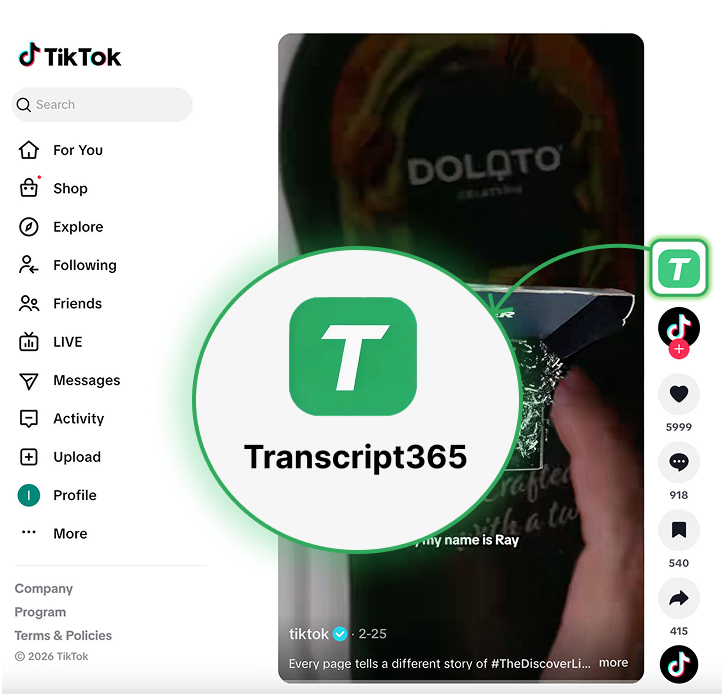
Get a TikTok Transcript
You Can Copy or Download
Public TikTok URL • Most videos process in 3–10 seconds • 0 credits when signed in through Dec 31, 2026