Convert Instagram Reels and Videos to Text
AI turns Instagram speech into accurate, editable plain text for notes, summaries, translations and content drafts.
How to Convert an Instagram Video to Text
Go from an Instagram Reel or video link to readable written content without replaying the post, pausing after every sentence or typing the audio yourself.
Copy the Instagram Reel or Video Link
Open the public Instagram Reel or video post you want to read, study or reference and copy its share URL. Transcript365 accepts the Instagram link directly, so you do not need to download the video first.
Convert the Instagram Audio to Text
Paste the link into the converter. AI speech recognition processes direct-to-camera speech, narration, interviews and voiceovers and returns structured text, even when the post caption only contains hashtags or a short description.
Copy, Edit and Use the Written Content
Review the result, correct names or specialist terms if needed, then copy it into notes, documents, translation tools, content briefs, research boards, accessibility workflows or writing drafts.
Instagram Video to Text vs. Captions, Rewatching and Manual Notes
Compare direct Instagram audio-to-text conversion with copying the post caption, reading burned-in subtitles, typing by hand and uploading a downloaded video file.
| Capability | Transcript365⭐ | Manual Notes | Post Captions or On-Screen Text | File Upload Tools |
|---|---|---|---|---|
| Starts from a Public Instagram Link | Yes | Yes | Yes, but text may be incomplete | Usually requires a video file |
| Converts the Actual Spoken Audio | Automatic | Typed by hand | No audio recognition | Automatic after upload |
| Works When the Caption Does Not Match the Speech | Yes | Slow manual listening | No | Depends on the tool |
| Produces Searchable, Editable Text | Yes | Yes | Limited or difficult to copy | Yes |
| Ready for Notes, Summaries and Translation | Immediately | After manual typing | Only if the needed words are shown | After download and upload |
Practical Ways to Use Text Extracted from Instagram Videos
Move useful speech from Reels and video posts into a written format for research, learning, accessibility and everyday information capture.
🎬Turn Reel Tutorials into Written Instructions
Convert cooking, fitness, beauty, DIY, software and educational Reels into organized steps. Edit the result into a checklist or guide you can follow without keeping Instagram open.
📊Analyze Creator Videos and Customer Language
Extract hooks, product claims, questions, objections and recurring phrases from public creator demos, reviews and interviews. Compare exact wording across posts for audience and market research.
🔍Prepare Notes, Summaries and Content Briefs
Convert spoken explanations into a readable source before producing a summary, newsletter, lesson plan, internal report or original social post. Full text helps editors preserve context and check facts.
🎯Support Translation and Accessible Reading
Give multilingual audiences, researchers and people who prefer silent reading a written alternative to audio-first Instagram content. Add translations, annotations or corrected terminology as needed.
Instagram Reels and Video to Text: Common Questions
Answers about converting Instagram Reels and video links to text, extracting spoken words that are missing from captions and using the result.
Bring Spoken Social Video into a Readable Workspace
Convert useful audio from supported social posts into written material that can move into notes, research, translation and editing workflows.
Instagram Reels as Text
Convert narration, interviews and dialogue from public Instagram video posts into editable text.
YouTube Speech to Written Notes
Turn lessons, Shorts, interviews and podcast episodes into text for closer reading.
Public X Video Commentary in Text
Capture spoken reactions and explanations from X videos as searchable written material.
Facebook Clips and Replays in Text
Build written references from supported public Facebook videos and live replays.
RedNote Reviews and Tutorials in Text
Read the spoken details inside RedNote recommendations, demonstrations and guides.
TikTok Speech as Editable Text
Move fast tutorials, stories and commentary from TikTok into an editable format.
Capture Instagram Video Speech While You Browse
The Transcript365 browser extension shortens the path from discovering a useful Reel to working with its narration or dialogue as text.
 Install Chrome Extension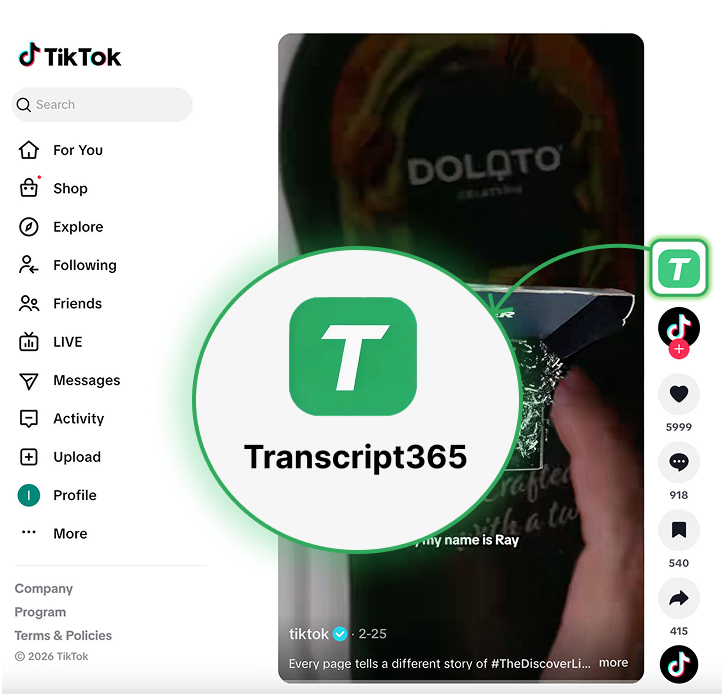
Take the Useful Words Out of Your Next Instagram Reel
Start with a public Instagram link • Read the spoken content • Keep the text you need