RedNote Transcript Downloader

Export speech from public RedNote videos into portable TXT, SRT or VTT files, then archive, search and reuse the text in your own workflow.

No video download required
Free weekly credits
TXT, SRT and VTT export
Keep files in your own workspace
Trusted by 60,000+ Creators Worldwide
User avatar
User avatar
User avatar
User avatar
User avatar
User avatar
people used Transcript365 this week.

From RedNote Link to Reusable Transcript File

Create a transcript file you can store outside the video platform and return to whenever your research needs it.

1

Add the Source Link

Copy the URL of a public RedNote video and place it in Transcript365. You can start from the source link without first saving a large video file to your device.

2

Prepare Searchable Text

Transcript365 turns the spoken audio into editable text, including the Chinese, English and mixed-language speech commonly used in RedNote content.

3

Export and File the Result

Review the result and export it as TXT, SRT or VTT. Store the file in a project folder, research database, content brief or shared team workspace.

Saved Transcript Workflows from RedNote Professionals

These workflows focus on what happens after transcription: cataloging sources, comparing language, sharing evidence and retrieving ideas later.

Jan 18, 2026
Verified

"I save transcripts from high-performing RedNote creators and compare their hooks side by side. Having searchable text makes it much easier to see recurring story structures and plan original scripts for our own channel."

Lena W., Content Strategist

Feb 6, 2026
Verified

"Our ecommerce team uses downloaded transcripts to collect product claims, objections and customer language from Chinese videos. The transcript library has become a useful source for localization and campaign briefs."

Daniel C., Cross-Border Ecommerce Manager

Mar 11, 2026
Verified

"Instead of replaying the same educational videos, I keep the transcripts as notes and search for the exact explanation I need. It saves time and helps me review spoken Chinese in context."

Mika T., Language Learner

Apr 2, 2026
Verified

"Downloaded transcripts give our research team a consistent source we can tag, compare and share. We can analyze creator messaging without relying on scattered bookmarks or manual notes."

Rachel K., Market Researcher

RedNote Transcript Downloader - Compare Research Workflows

See why downloading a transcript with Transcript365 is more practical than manual note-taking or using tools that require media uploads.

Feature
Transcript365
Manual NotesMeeting ToolsVideo Downloaders
Works from a Public RedNote URLYesNoUsually noDownloads video only
Creates Searchable Transcript TextYesManual typingRequires media uploadNo
No Original Video Download RequiredYesYesOften requires a fileNo
Chinese and Mixed-Language SupportSupportedDepends on the writerVaries by toolNot applicable
Copy and Export for ReuseTXT, SRT and VTTNotes onlyVaries by planVideo file only

Turn RedNote Videos into an Organized Text Archive

Transcript365 helps move useful information out of a temporary video feed and into files your team can name, store, search, compare and revisit.

Build a Searchable Content Research Library

Save transcripts from top-performing RedNote creators instead of leaving valuable ideas trapped inside bookmarks. Search across hooks, story structures, product claims and calls to action, then organize the text inside your preferred notes, documents or research system.

Analyze Competitor Messaging at Scale

Download multiple transcripts and compare how competitors describe customer pain points, demonstrate products, answer objections and create purchase urgency. Text-based analysis makes patterns easier to identify than repeatedly scrubbing through videos.

Skyrocket Visibility with TikTok SEO,10x Reach via Content Repurposing
Pro-Grade Subtitles for High Retention,Data-Driven Ad & Hook Analysis

Repurpose Spoken Content into New Formats

Use downloaded transcripts as source material for blog posts, newsletters, social captions, short-form scripts, AI prompts and knowledge base articles. Keep the original ideas available while adapting them into new, original content.

Capture Cross-Border Ecommerce Insights

Extract product reviews, feature reactions, customer language and buying motivations from Chinese and bilingual RedNote videos. Share the saved evidence with sourcing, merchandising, localization and campaign teams.

Preserve Educational Videos as Notes

Turn tutorials, interviews and explainers into searchable study material. Highlight important concepts, revisit exact phrases and review spoken Chinese without replaying the same video every time.

Collaborate from a Consistent Source

Give marketing, research, ecommerce and content teams the same searchable transcript for briefs, meetings and campaign planning. A shared text reference reduces fragmented notes and makes follow-up analysis easier.

Reverse-Engineer Viral Success,Accelerate Your Creative Brainstorming

Where Exported RedNote Transcripts Fit into Real Work

Portable transcript files support repeatable research and documentation workflows across content, marketing, ecommerce and learning.

🎬Content Creators & Strategists

Save scripts from high-performing creators and build a swipe file of hooks, transitions, story structures and calls to action. Use the archive to develop original content from observable patterns rather than vague inspiration.

📊Marketers & Social Media Teams

Analyze the exact words creators and customers use to describe needs, objections and outcomes. Compare transcripts across campaigns to improve positioning, creative briefs and audience messaging.

🔍Ecommerce & Product Research Teams

Collect product reviews, feature reactions, buying motivations and customer feedback from RedNote videos. Turn the downloaded evidence into inputs for sourcing, localization and campaign planning.

🎯Researchers & Language Learners

Create searchable source archives, tag recurring themes and preserve useful examples of spoken Chinese or bilingual content. Review the text at your own pace without repeatedly replaying the original video.

Saving and Exporting RedNote Transcripts: FAQ

Practical answers about file formats, storage workflows and the difference between a transcript export and a video download.

It saves the spoken content of a public RedNote video as text or subtitle data. The result can be copied or exported for use outside RedNote.

Generating creates the text from the video audio. Downloading exports that result into a file you can retain, rename, organize, share and use again later.

No. Transcript365 can work from a supported public RedNote URL, allowing you to export the transcript without first keeping the original video file.

Choose TXT for reading, research and content briefs. Choose SRT or VTT when you need timestamps for subtitles, editing or other time-based workflows.

Use consistent file names and folders for creator, topic, product and date. Teams can also add transcript files to shared documents, research databases or knowledge systems.

Yes. A collection of saved files makes it easier to compare hooks, product claims, pain points, proof points and calls to action across creators and over time.

Yes. Plain text transcripts can be searched inside document tools, notes apps, shared drives and research databases, depending on where you store them.

Yes. Exported transcript files can be placed in shared folders, attached to briefs or added to a team knowledge base so everyone can reference the same source text.

No. A transcript downloader exports spoken words as text or subtitle data. It does not save the original RedNote video.

Transcript365 provides free weekly credits so users can test supported transcript and export workflows before purchasing additional usage.
Browser Extension

Save Social Video Transcripts While You Browse

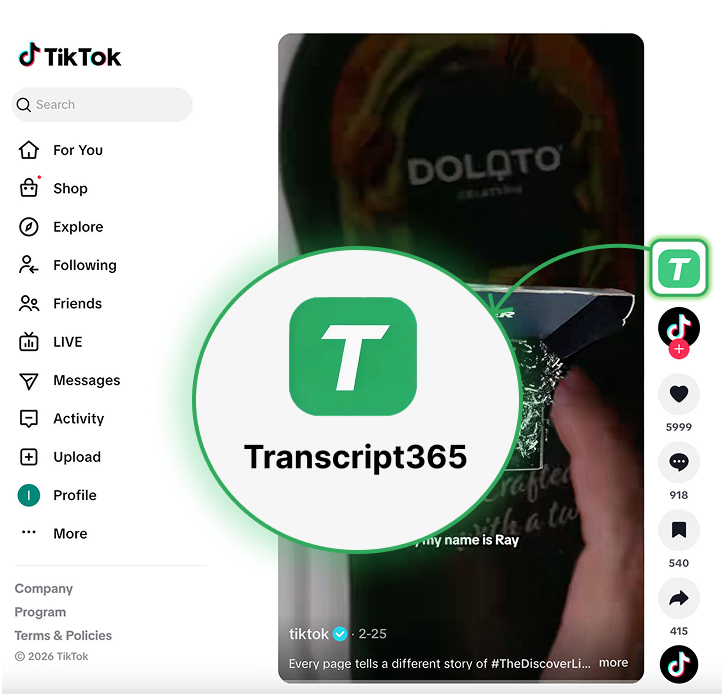
Install the Transcript365 browser extension to move from discovering a useful social video to extracting its transcript with fewer steps.

One-click transcript extraction from supported social videos
Works across all supported platforms
Download transcripts as reusable text or subtitle files
Available for Chrome
 Extension in action - One-click transcription
One Click
Instant

Export Your First RedNote Transcript File

No video download required • Free weekly credits • Works with public RedNote links