Convert TikTok Videos to Text
Convert TikTok video speech, voiceovers and dialogue into editable, searchable text for summaries, notes, translation, research and accessible reading—even when useful captions are missing.
How to Convert a TikTok Video to Text
Go from a TikTok share link to readable written content without replaying the clip, pausing every sentence or typing it out yourself.
Copy the TikTok Video Link
Open the public TikTok video you want to read, study or reference and copy its share URL. Transcript365 accepts the link directly, so there is no need to download the video first.
Turn the Spoken Audio into Text
Paste the TikTok link into the converter. AI speech recognition processes narration, dialogue and voiceovers and returns structured text, even when the post has no useful captions.
Copy, Edit or Continue with the Text
Review the result, correct names or specialist terms if needed, then copy it into notes, documents, translation tools, AI workflows, study materials, research briefs or writing drafts.
TikTok Video to Text vs. Rewatching and Typing
Compare a direct TikTok link-to-text workflow with manual note-taking, copying on-screen captions and uploading downloaded video files.
| Capability | Transcript365⭐ | Manual Notes | On-Screen Captions | File Upload Tools |
|---|---|---|---|---|
| Starts from a Public TikTok Link | Yes | Yes | Only if captions are visible | Usually needs a video file |
| Converts Spoken Audio to Text | Automatic | Typed by hand | No audio recognition | Automatic after upload |
| Works When Captions Are Missing | Yes | Slow manual listening | No | Depends on the tool |
| Produces Searchable, Editable Text | Yes | Yes | Limited | Yes |
| Ready for Summaries, Notes and Translation | Immediately | After manual typing | Depends on caption quality | After download and upload |
What You Can Do with TikTok Video Text
Convert short-form video into a working format for learning, research, accessibility and everyday information capture.
🎬Save Tutorials as Written Steps
Turn cooking, fitness, beauty, DIY, software and study TikToks into step-by-step instructions. Edit the text into a checklist you can follow without keeping the original video open.
📊Capture Advice from Talking-Head Videos
Turn authorized talking-head videos into readable notes for learning, review, or personal reference. Use generated text only for content you own, have permission to process, or are legally permitted to use. Review third-party platform terms and applicable rights before copying, publishing, or repurposing transcripts.
🔍Study Languages and Translate Global Trends
Read spoken TikTok content alongside the video, mark unfamiliar vocabulary and add translations or pronunciation notes. Text makes fast, informal speech easier to examine in context.
🎯Support Research and Accessible Reading
Give analysts, students and viewers a searchable alternative to audio-first content. Text can support silent reading, quotation, fact checking, collaborative annotation and source documentation.
TikTok to Text Converter: Frequently Asked Questions
Answers about converting a TikTok link to text, handling videos without captions and using the resulting written content.
Read Spoken Videos as Text Across Social Platforms
Use the same link-based workflow when useful information appears in a Reel, Short, post, replay or another supported social video.
Instagram Reels as Text
Capture narration and dialogue from public Reels or Instagram video posts.
YouTube Video as Text
Read the spoken content of YouTube videos, Shorts, lessons and podcast episodes.
X Video as Text
Move commentary from public X videos into a format that is easy to copy and search.
Facebook Video as Text
Create written references from public Facebook clips and live-video replays.
RedNote Video as Text
Make RedNote reviews, tutorials and explanations easier to read and study.
TikTok to Text
Convert TikTok speech into text for tutorials, summaries and research.
Capture Useful Video Speech Without Leaving the Page
The Transcript365 browser extension shortens the path from discovering a useful clip to working with its spoken content as text.
 Install Chrome Extension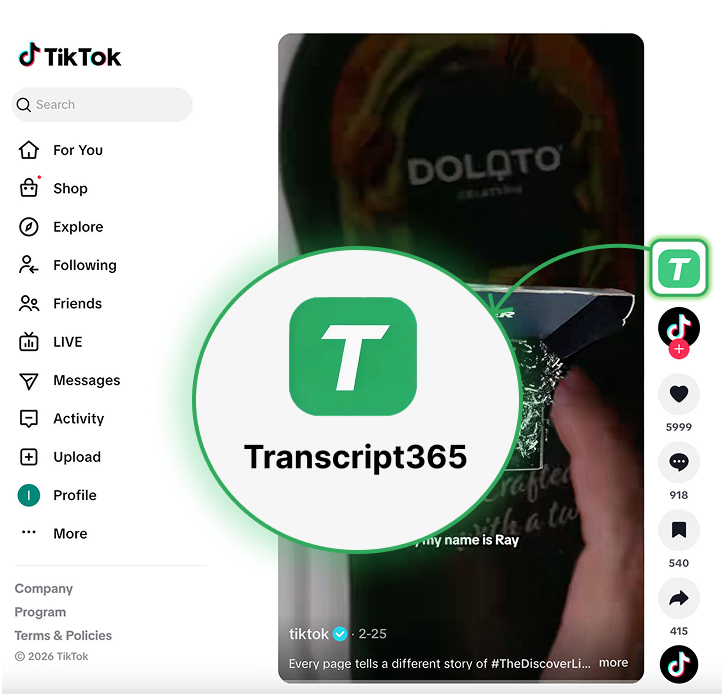
Turn Your Next TikTok into Useful Text
Paste a public TikTok link • No manual typing • Copy, edit and reuse the result